
The Rise of the Smart Family Calendar
For years, families relied on wall planners or magnetic fridge calendars to coordinate daily life. But as households became more digitally connected, a new category emerged: smart family calendar—wall-mounted digital displays that sync events, chores, and reminders across all members.
In this growing market, Dragon Touch and Skylight are two of the most visible names. Both promise to keep your household on the same page, but their approaches differ in design philosophy, pricing, and the balance between hardware and subscription-based features.

Design & Size Options
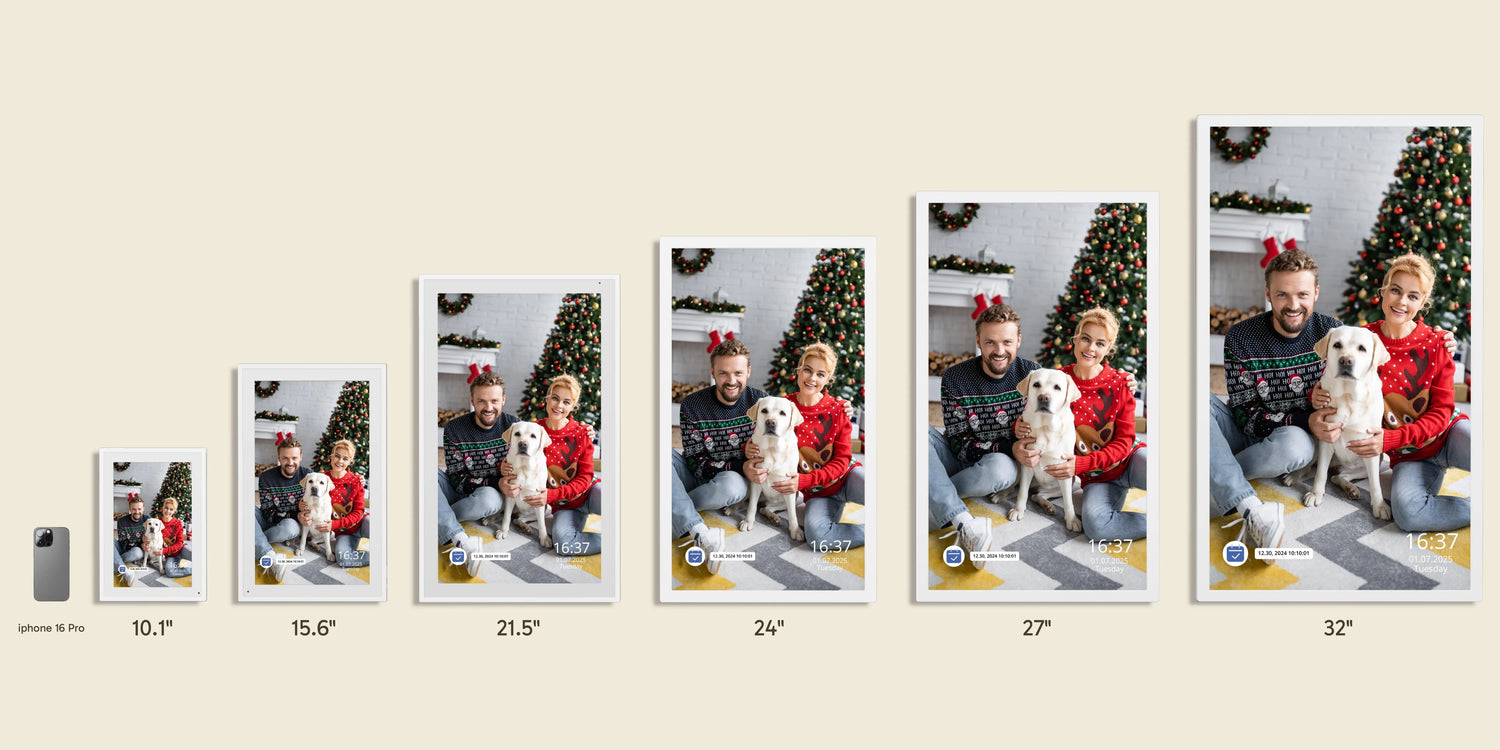
Dragon Touch approaches the family calendar as a flexible piece of hardware. It offers six sizes: 10.1″, 15.6″, 21.5″, 24″, 27″, and 32″. The smaller screens suit a home office or kitchen counter, while the 27″ and 32″ models are designed as central “command centers” for large families.
By contrast, Skylight offers three sizes: a 10″ model, a 15″ standard calendar, and the 27″ Calendar Max. The gap between the mid-size and the largest option is wide—if neither fits your wall or budget, you have fewer alternatives.
Practical Impact: With more size options, Dragon Touch lets you choose a display proportionate to your available space and budget, reducing the risk of overpaying for unused screen real estate.
Display Quality & Build
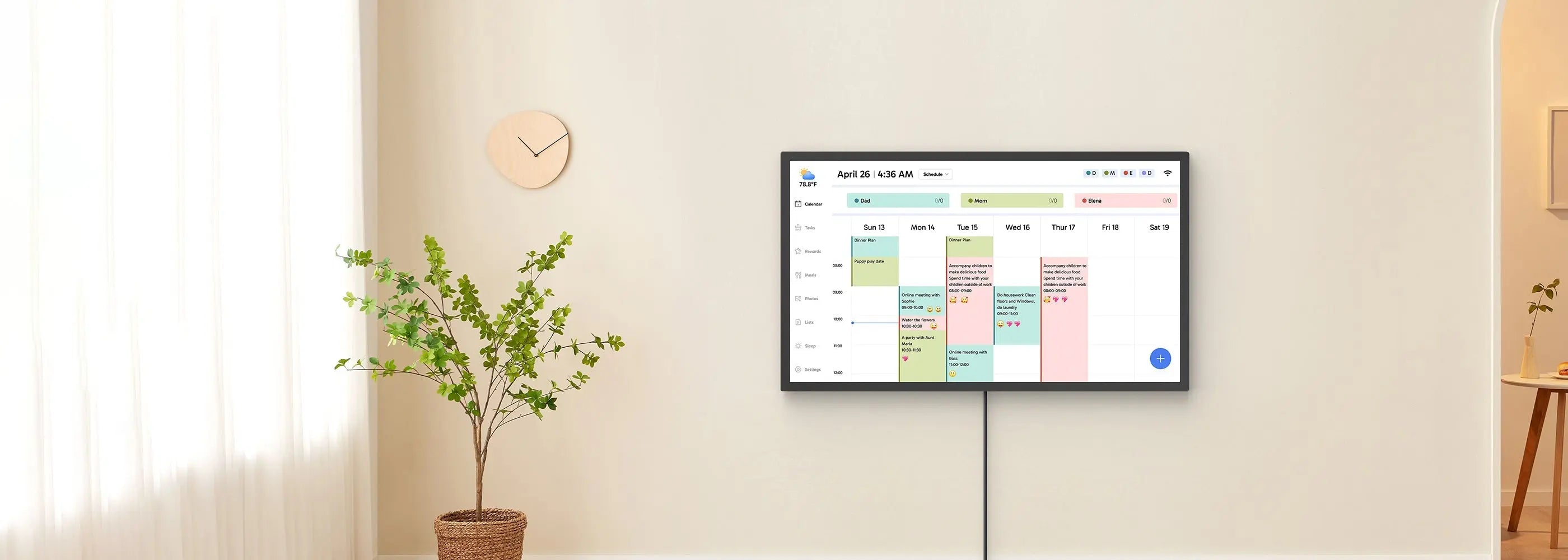
Both brands use touch-enabled displays with clear, bright panels. Dragon Touch digital calendar emphasizes functional clarity—its interface is straightforward, with large fonts and color-coded categories. The matte finish on some models reduces glare, making it easier to read in bright kitchens.
Skylight Calendar Max features a more refined, minimal design. Its slim bezels and metal frame help it blend into modern interiors. Reviewers often note that its interface feels more “polished,” but some find its reliance on subscription features limiting out of the box.
Features: Included vs. Subscription-Locked
Dragon Touch Calendar (included without subscription):
- Syncs with Google, Apple, Outlook, Yahoo calendars
- Photo display and slideshow
- Chore tracking and interactive to-do lists
- Dinner planner and meal scheduling
- Weather updates
- Sleep Mode (automatic screen off at night)
- 32 GB built-in storage
- Optional “Magic Import” for advanced automation (paid upgrade, but not required)
Skylight Calendar (free features):
- Color-coded events and task lists
- Weather forecasts
- Chore checklist
- Parental controls
- Sleep Mode
- Mobile app access
- 16 GB built-in storage
Skylight Plus subscription ($39–79/year) adds:
- Meal planner
- Photo/video screensaver
- Chore rewards system
- Advanced “Magic Import”
Key Difference: Dragon Touch includes most everyday features without a subscription. Skylight requires Plus for many advanced tools, which can substantially increase cost over time.
Performance & Everyday Use
In daily operation, both calendars perform reliably. Adding events via smartphone sync works seamlessly on both, and touch response is quick.
Dragon Touch digital calendar is ideal for families who want a “set it and forget it” system: most features work out-of-the-box, so you can avoid juggling extra payments or logins.
Pricing & Long-Term Value
- Dragon Touch 10":~149.99
- Dragon Touch 15.6″: ~$249.99
- Dragon Touch 27″: ~$599.99
- Skylight Calendar 15": ~$299.99
- Skylight Calendar Max (27″): ~$599.99 + optional Plus subscription
- Skylight Plus: ~$39–79/year
Over three years, the subscription can add $120–240 to Skylight’s cost—enough to buy a larger Dragon Touch model.
Comparison at a Glance
| Feature / Aspect | Dragon Touch | Skylight Calendar Max |
| Sizes available | 10.1″, 15.6″, 21.5″, 24″, 27″, 32″ | 10″, 15″, 27″ |
| Core features free | Yes | Partially (many require subscription) |
| Storage | 32 GB | 16 GB |
| Subscription needed? | No (optional for Magic Import) | Yes for many advanced features |
| Warranty/returns | 2-year warranty, 30-day returns | ~120-day return window (varies by retailer) |
If you value flexibility in size, no recurring fees, and ample built-in storage, Dragon Touch Digital Calendar is the stronger choice for most families. It offers the broadest range of hardware options and keeps essential features subscription-free.
📅Start exploring now! Pick the perfect calendar for your family!


Leave a comment
This site is protected by hCaptcha and the hCaptcha Privacy Policy and Terms of Service apply.