
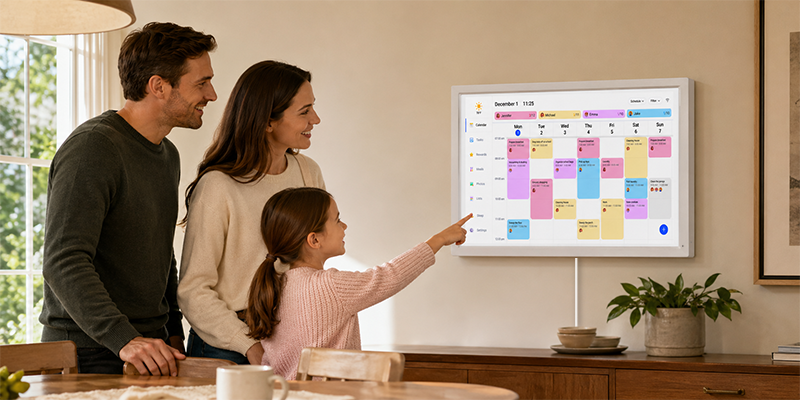
A busy home does not need a more complicated calendar. It needs one place where everyone can see what is happening today, tomorrow, and later this week.
That is the basic job of a digital family calendar. It takes the schedule that usually lives across phones, paper notes, school emails, and quick hallway reminders, then puts it on a screen the whole household can check.
Start with the real problem at home
Before comparing screen sizes or apps, look at what keeps slipping through the cracks. For one family, it might be school pickup. For another, it is soccer practice, work travel, dinner plans, or whose turn it is to take out the trash.
A good digital family calendar should make those daily details easier to see. If it only adds another app to manage, it is probably not solving the right problem.
Look for a shared screen, not just another personal calendar
Most parents already have a calendar on their phone. The issue is that a phone calendar is private by default. It works for one person, but it does not help much when the whole family needs the same view.
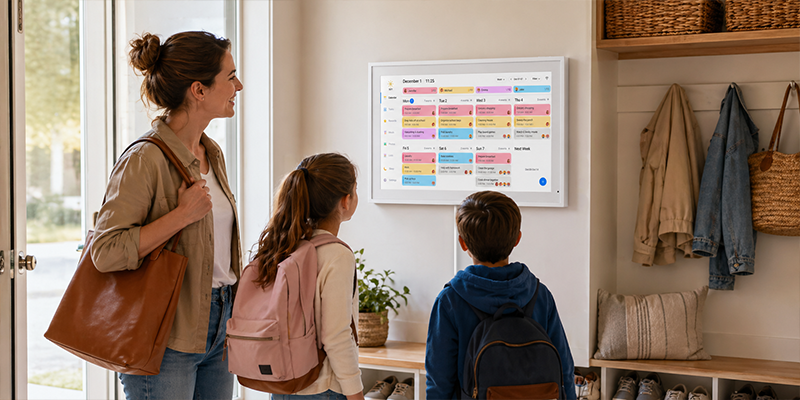
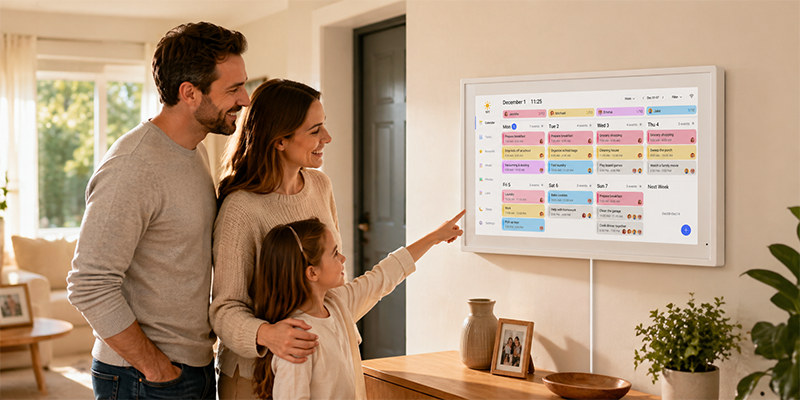
For a busy household, the calendar should sit somewhere visible, like the kitchen, entryway, or family room. That way, kids can check what is coming up without asking, and adults do not have to repeat the same reminders all day.
Make sure it works with the calendars you already use
The easiest digital family calendar is the one that connects to your current routine. If your family already uses Google Calendar or iCloud, choose a screen that can sync with those accounts instead of forcing everyone to rebuild their schedule from scratch.
Sync matters because family plans change constantly. A doctor appointment moves. Practice gets canceled. Someone adds a work trip. When the wall calendar updates from the phone, the screen stays useful instead of becoming another thing to maintain.
Check whether it needs a subscription
Some digital calendars charge monthly fees for extra features or storage. That can make sense for certain households, but many families simply want shared scheduling, reminders, chores, and a clear home display.
If you want to avoid another recurring bill, look for a digital family calendar without subscription fees. The Dragon Touch Digital Calendar is built around that idea: families can use the core scheduling and organization features without paying a monthly subscription.
Think about where the calendar will live
Placement changes how useful the calendar feels. A screen in a quiet office may look neat, but it will not help much if nobody passes by it. A kitchen wall, hallway, or entry table usually works better because those are the places where family traffic naturally happens.
Screen visibility matters too. The calendar should be large enough to read at a glance, but not so large that it feels awkward in the room. The goal is not to create a command center. It is to make everyday plans harder to miss.
Choose features your family will actually use
It is easy to get distracted by feature lists. In practice, a few functions tend to matter most:
- Shared events everyone can see
- Calendar sync from phones or tablets
- Reminders for school, work, and appointments
- Chore or routine tracking for children
- A clear screen that fits a common family space
Anything beyond that should earn its place. If a feature sounds impressive but no one in the house will use it next Tuesday morning, it may not be worth paying extra for.
When Dragon Touch makes sense
The Dragon Touch Digital Calendar is a practical fit for families that want a shared wall calendar without a subscription. It is especially useful when the household already relies on digital calendars but needs a visible screen at home.
It works best for families trying to keep school schedules, chores, meals, appointments, and reminders in one place. Not in a perfect, magazine-photo kind of way. More in the real-life sense: fewer missed plans, fewer repeated questions, and a clearer idea of what the day looks like.
Quick buying checklist
- Will the whole family be able to see it daily?
- Does it sync with the calendar tools you already use?
- Can it handle events, reminders, and routines?
- Does it avoid monthly subscription fees?
- Is the screen size right for the room where it will be placed?
If those answers are yes, you are looking at the right kind of digital family calendar.
Frequently asked questions
What is a digital family calendar?
A digital family calendar is a shared screen that shows household schedules, reminders, chores, and daily plans in one place. It helps everyone in the home check the same schedule.
Where should I put a digital family calendar?
Put it somewhere people naturally pass by, such as the kitchen, entryway, hallway, or family room. Visibility is what makes the calendar useful.
Does a digital family calendar need a subscription?
Not always. Dragon Touch Digital Calendar does not require a monthly subscription for its core family scheduling and organization features.
Is a digital family calendar better than a phone calendar?
It depends on the job. A phone calendar works well for one person. A digital family calendar works better when everyone in the household needs to see the same schedule.
If your family already has the schedule but needs a better way to see it together, the Dragon Touch Family Calendar is worth a closer look.

Leave a comment
This site is protected by hCaptcha and the hCaptcha Privacy Policy and Terms of Service apply.